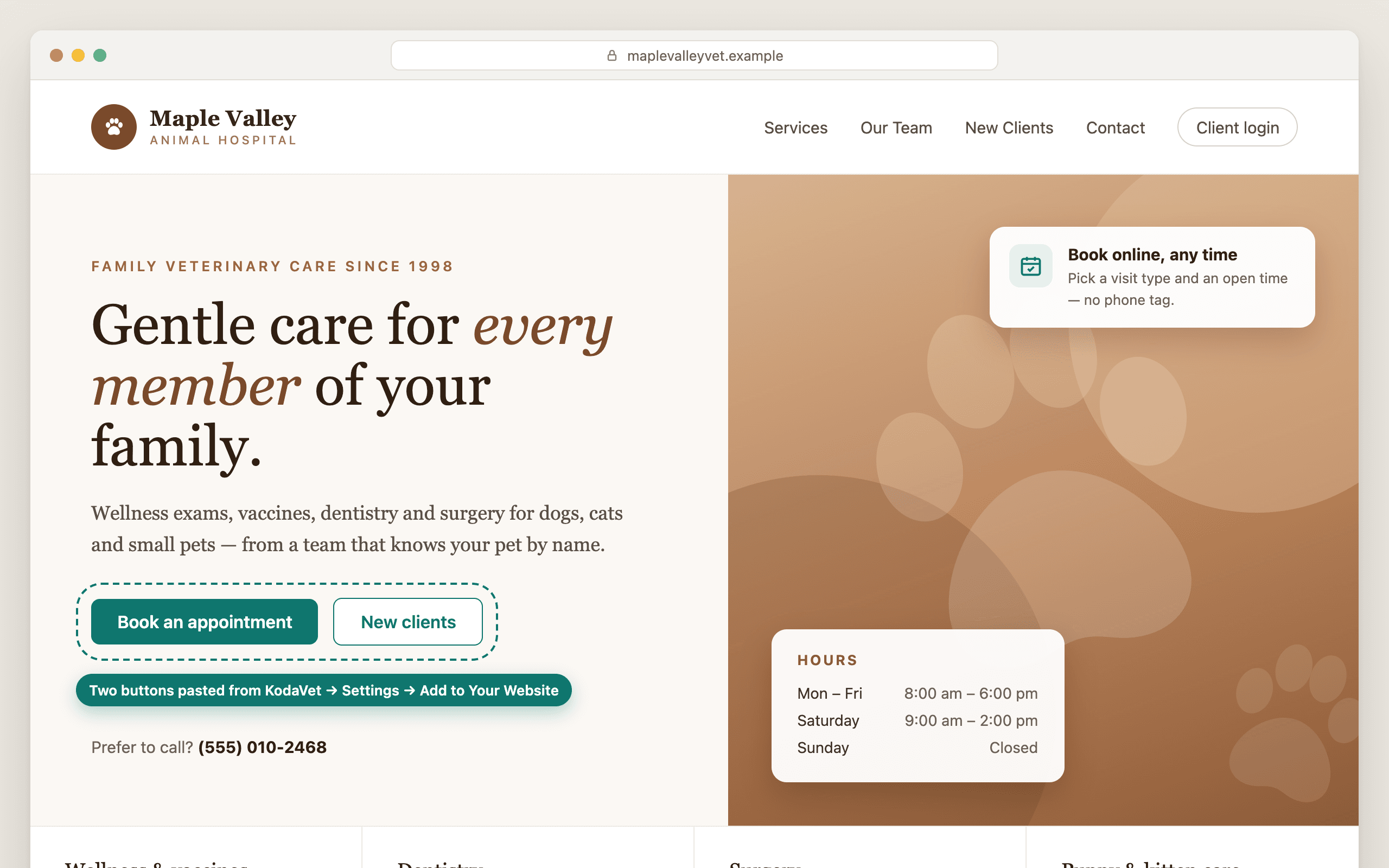
Your clinic website is where a lot of clients start, and too often it ends in a phone number and a hope that someone picks up. KodaVet 1.14 links the two. New on the Agent plan, a page in Settings gives you a “Book an appointment” button for the website you already have, and an optional form lets people who aren't clients yet ask to be seen. There are no plugins and no developer, and setting it up takes about two minutes.
Everything for your website on one page
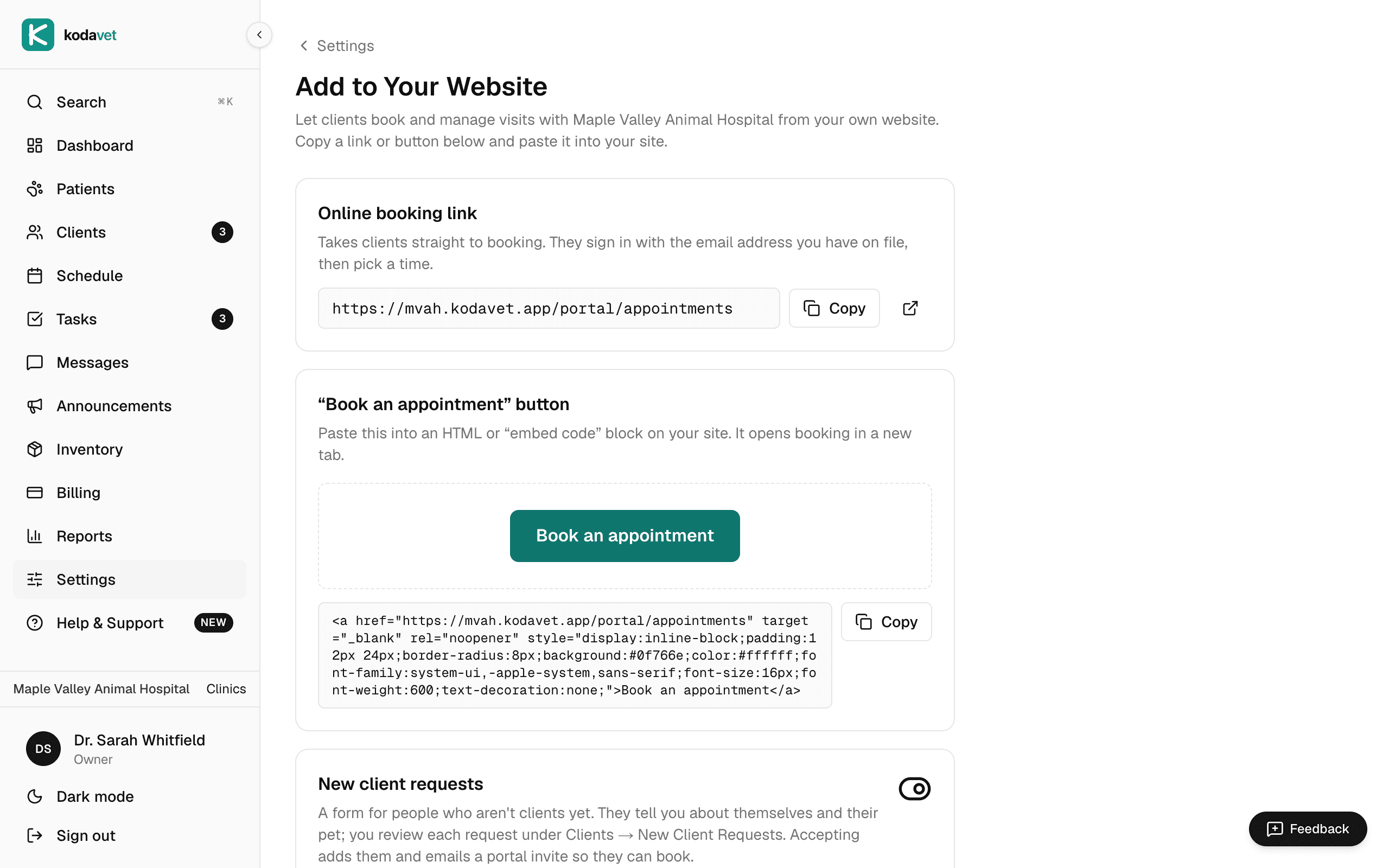
Under Settings → Add to Your Website you'll find three things, each with a copy button:
- Your online booking link, which takes clients straight to booking in your client portal.
- A ready-made “Book an appointment” button you can paste into Wix, Squarespace, WordPress or any HTML page. It opens booking in a new tab.
- Your client portal link, so clients can sign in from your site's menu.
If you can add a link or paste a snippet on your site, you can add booking. Your website stays exactly as it is, with your brand and your words.
Existing clients book in a few clicks
A client who clicks the button signs in with the email address you have on file. The sign-in link arrives by email, so there's no password to remember. Then they choose a visit type and an open time. Sign-in links only go to email addresses you have on file, so the portal stays for the people you've invited.
The same goes for any portal link you share. If a client opens one before signing in, they land on that page once they've signed in, instead of on their pets list.
A front door for new clients
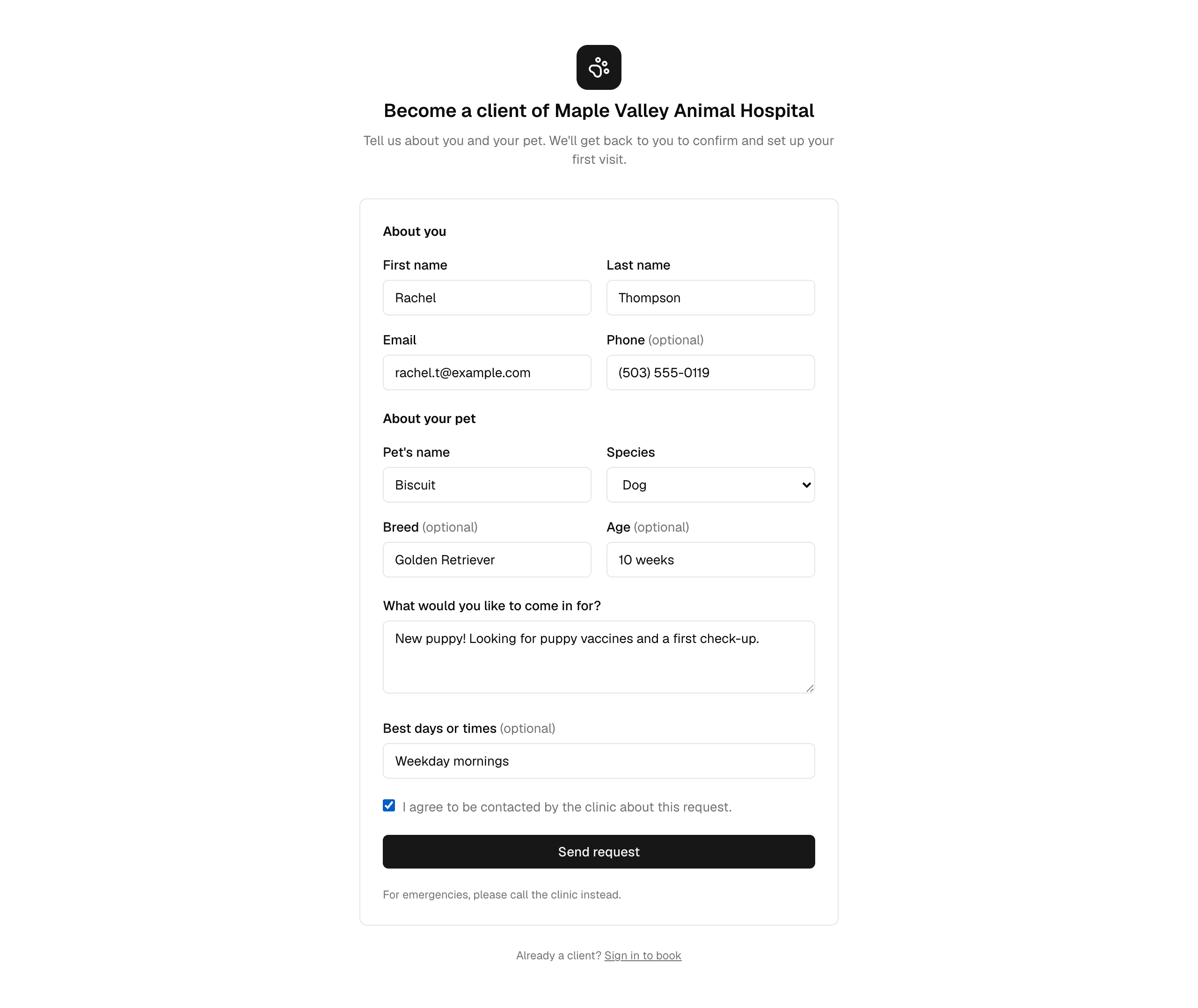
Existing clients are one half of your website traffic. The other half is people looking for a new vet. Turn on new client requests, also under Settings → Add to Your Website, and you get a form those visitors can use to tell you about themselves, their pet, what they'd like to come in for and the best days or times. It's off until you turn it on, the form has spam protection, and nothing is booked until your team accepts a request.
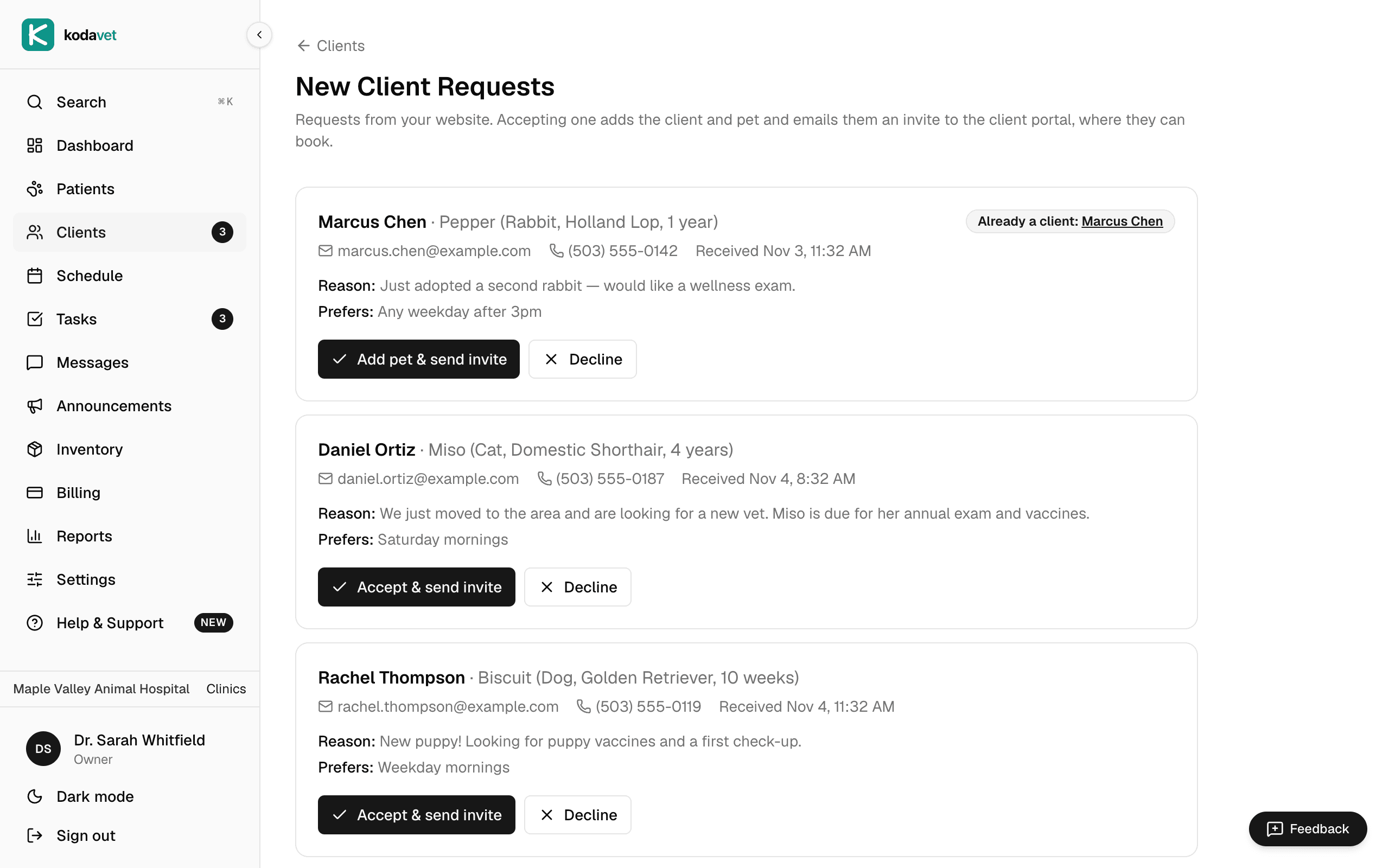
Requests appear under Clients → New Client Requests, with a count in the sidebar so nobody has to go looking. KodaVet also emails your clinic address when a request arrives, at most once an hour, so a busy morning doesn't flood your inbox.
Accept, and they can book
Each request shows the owner, the pet, the reason for the visit and their preferred times. When you accept one, KodaVet adds the client and their pet and emails them a portal invite so they can book. Nobody has to retype details from an email or a voicemail. If the person is already on file, the pet is added to their existing record instead of creating a duplicate client.
Where to find it
Everything lives under Settings → Add to Your Website, and new client requests show up under Clients. Booking on your website and new client requests are part of the Agent plan. See the full feature list, or try KodaVet free for 14 days with your own clinic data. No credit card required.